Fields and Properties in VB.NET
In this article I will explain you about Fields and Properties in VB.NET
Fields are ordinary member variables or member instances of a class. Properties are an abstraction to get and set their values. Properties are also called accessors because they offer a way to change and retrieve a field if you expose a field in the class as private. Generally, you should declare your member variables private, then declare or define properties for them.
There are three obvious reasons for the necessity of properties in VB.NET
You can delay the creation of actual reference fields until you use them, which saves resources. You can differentiate the representation and actual storage. Representation is implemented via properties and storage is implemented via fields. You can check constraints when setting and getting properties. If the value is not suitable, you do not store the data in the field and a type-safety error is returned. This really provides 100% type-safe accessors on demand.
Properties afford you the advantage of more elegant syntax along with the robustness and better encapsulation of accessor methods. The syntax for implementing a property in VB.NET, along with a constructor and a destructor and using the property is shown in the Age property in below example.
Example of Constructor Destructor:
// example property, ctor, dtor, exception
Module module1
Public Class Individual
Private m_age As Int32
// note that this is private
// we could do this instead, more explicit
// private Int32 age;
// the default specifiers are all private!!!
Public Sub New(ByVal age As Int32)// constructor, ctor
Me.m_age = age// this object, just for more clarity
End Sub
Protected Overrides Sub Finalize()// destructor
Try
m_age = 0
Finally
MyBase.Finalize()
End Try
End Sub
Public Property Age() As Int32// public property
Get
Return m_age
End Get
Set(ByVal value As Int32)
// validating value
If value > 0 AndAlso value < 200 Then
m_age = value
Else
// throw exception if invalid value
Throw New ArgumentException("not between 1 and 150 ?")
End If
End Set
End Property
End Class
Sub Main()
Try
Dim Jabbar As New Individual(27)
Console.WriteLine("This year, Jabbar was {0} years old", Jabbar.Age)
Jabbar.Age += 1// uses both get and set to do increment
Console.WriteLine("Next year, Jabbar will be {0} years old", Jabbar.Age)
Catch e As ArgumentException // catches this specific type and derived types
// uses Exception.ToString()
Console.WriteLine("{0} Caught exception #1.", e)
End Try
Console.ReadLine()
End Sub
End Module
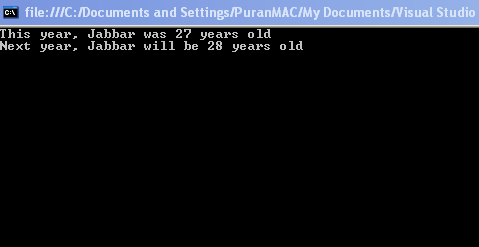
Output
The pseudocode in example below presents a read-only property example that defers resource allocation with the help of properties.
Example
// example property pseudocode, delayed resource allocation
// you allocate resources only when you really need them
// class 1
Module Module1
Class MyReader
// prop1 - property
End Class
// class 2
Class MyWriter
// prop2 - property
// prop3 - property
End Class
Public Class ExamplePropertyImplementation
Private Shared reader As MyReader
Private Shared writer As MyWriter
Private Shared [error] As MyWriter
// public property
Public Shared ReadOnly Property prop1() As MyReader
Get
If reader Is Nothing Then
reader = New Reader()
End If
Return reader
End Get
End Property
// public property
Public Shared ReadOnly Property prop2() As MyWriter
Get
If writer Is Nothing Then
writer = New MyWriter()
End If
Return writer
End Get
End Property
// public property
Public Shared ReadOnly Property prop3() As MyWriter
Get
If [error] Is Nothing Then
[error] = New Writer()
End If
Return [error]
End Get
End Property
End Class
End Module
By exposing these members as properties, the class can delay their initialization until they are actually used. Thus, if the application makes no reference to the prop2 and prop3 properties, no objects are created for those objects.
Conclusion
Hope this article would have helped you in understanding Fields and Properties in VB.NET